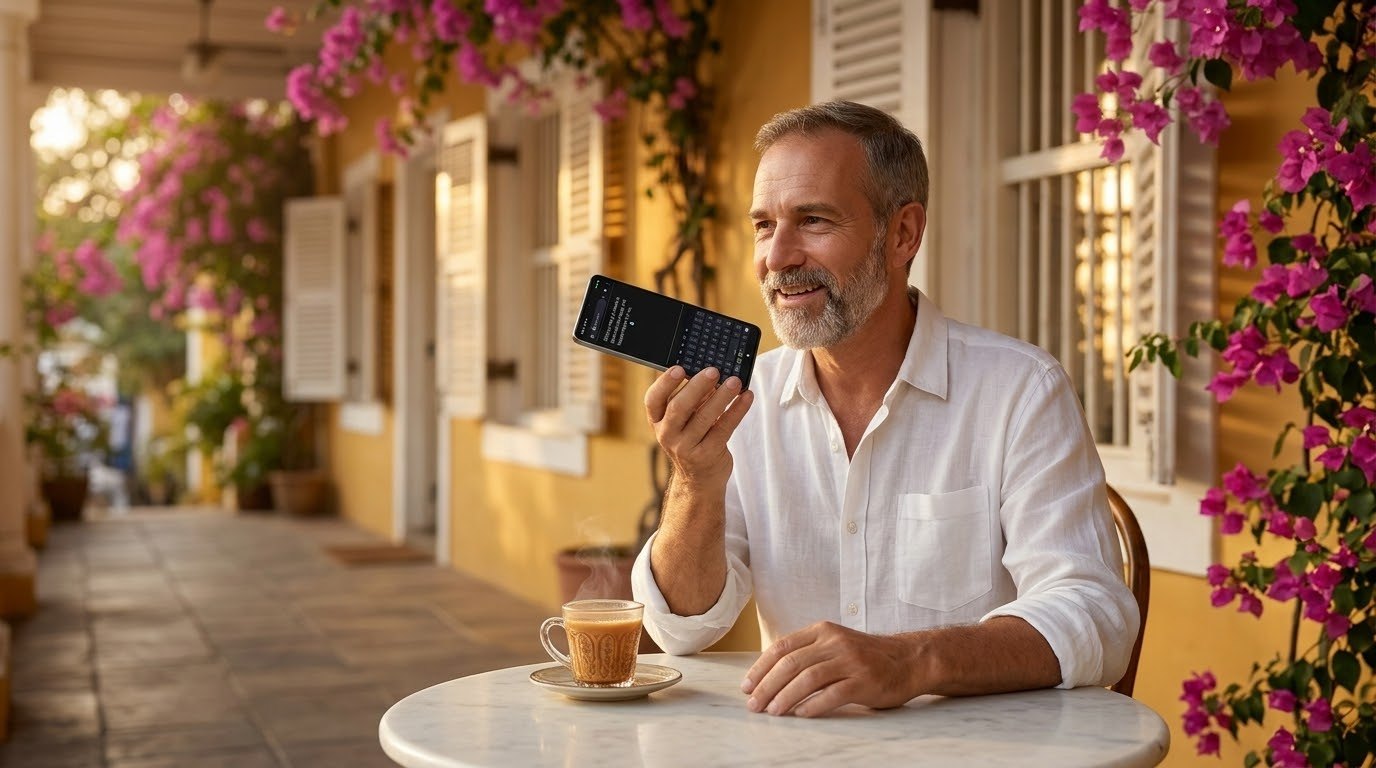
A man on a café veranda in Pondicherry speaks into his phone and TTT types his words
TTT · Talk to Type Advanced Keyboard · Android

Talk, and it types

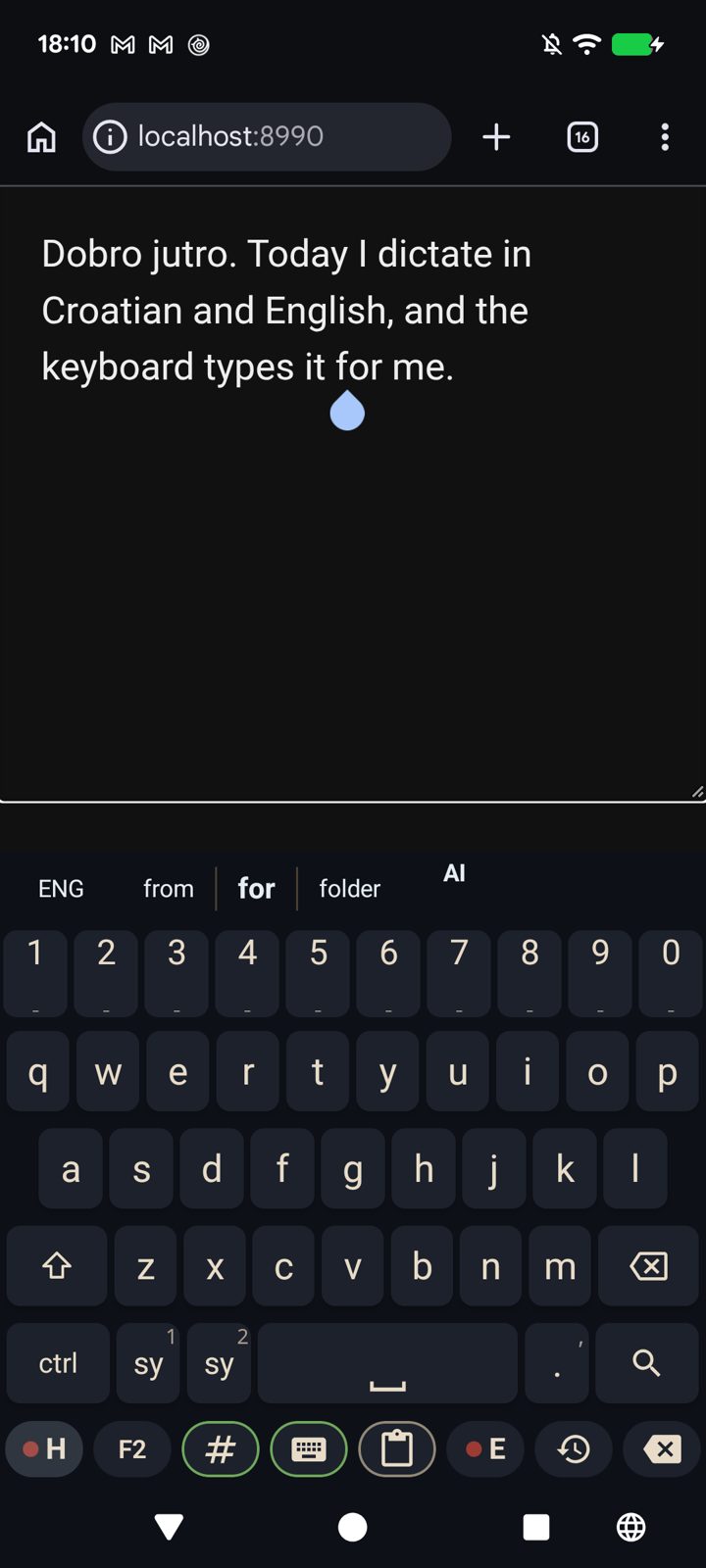
A keyboard you speak to. Press ● H and speak Croatian, press ● E and speak English: your words are written where the cursor is, in any app. Around the voice, a full keyboard made to be arranged your way.

What it does

Made for a person who writes by voice

It was made by a filmmaker who dictates all day, in two languages, on his phone. Every screen below is the real app.

Speak, and it types

Speak, and it types

Two keys on the bottom row record: ● H for Croatian, ● E for English. The key you press is the language, so there is nothing to set first and nothing to check after. Your words land at the cursor in any app.

Croatian letters, your way

Croatian letters, your way

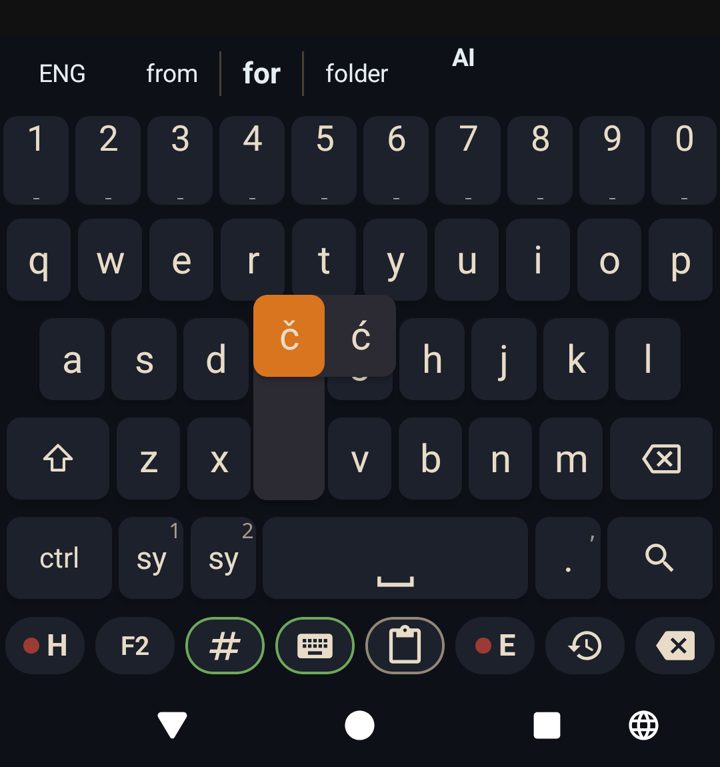
Hold c and you get č and ć, hold d for đ, s for š, z for ž. Nothing else pops up to get in your way. Any letter can carry more pop-ups: you add them yourself.

Pop-up Configuration

Pop-up Configuration

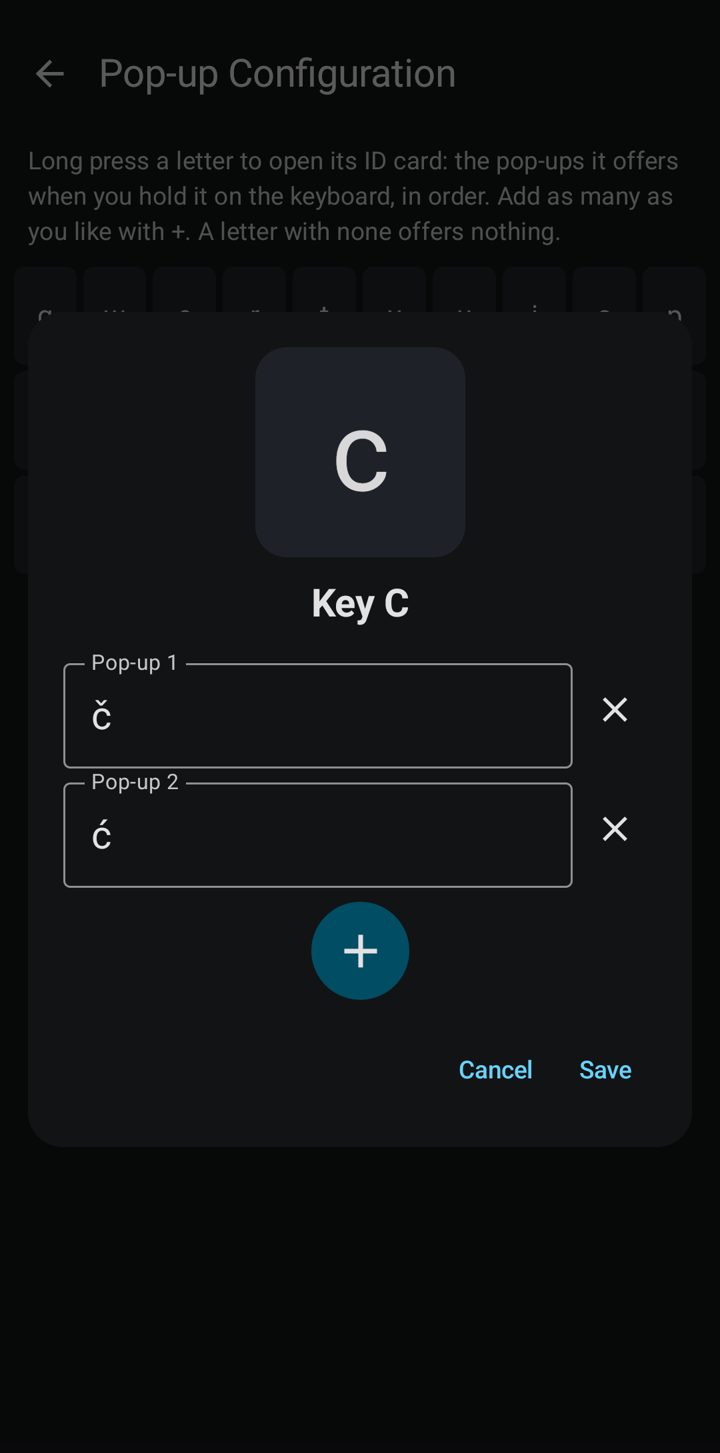
Every letter on one grid with its pop-ups printed under it. Press a letter and its ID card opens: the key big at the top, Pop-up 1, Pop-up 2, and a + for as many as you like.

Coloring the Buttons

Coloring the Buttons

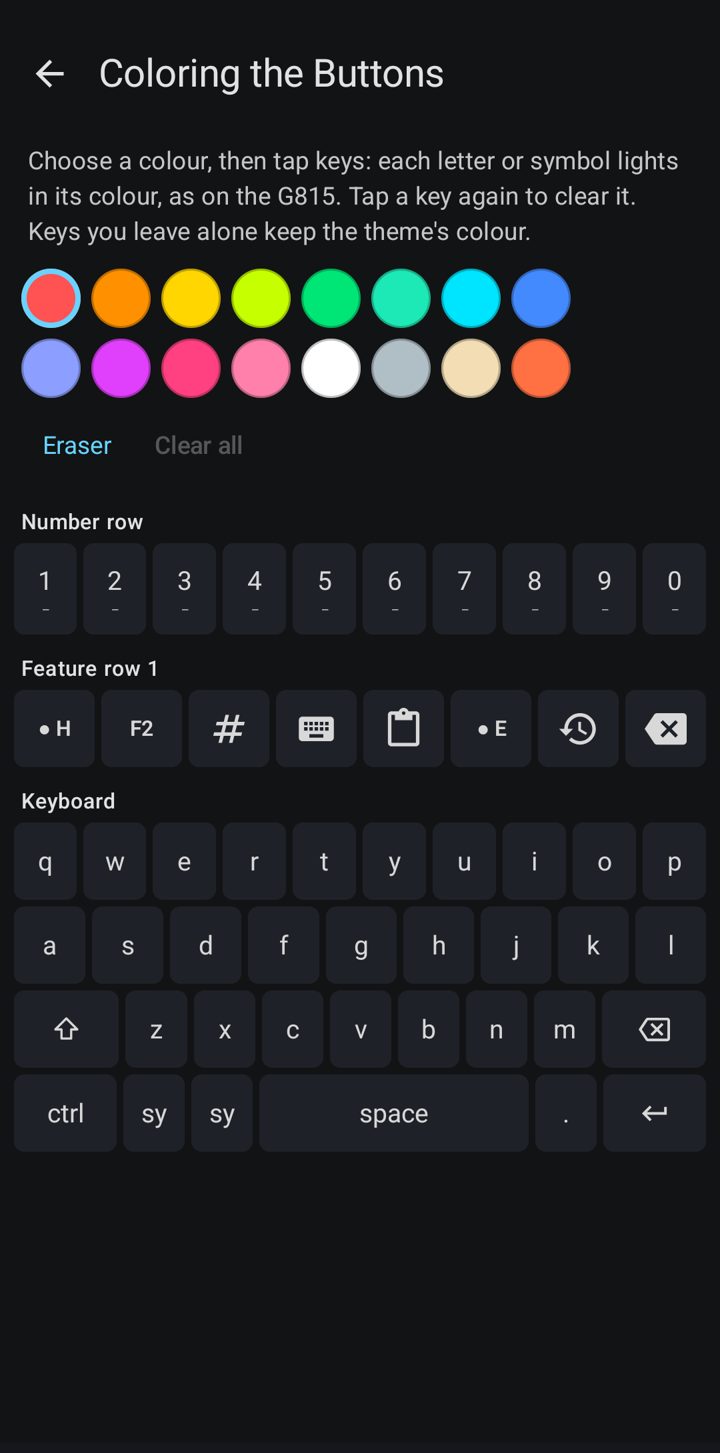
Paint the letters themselves, like a Logitech G815: choose a colour, tap the keys. You find the keys you use most by colour before you read them.

Rows you arrange

Rows you arrange

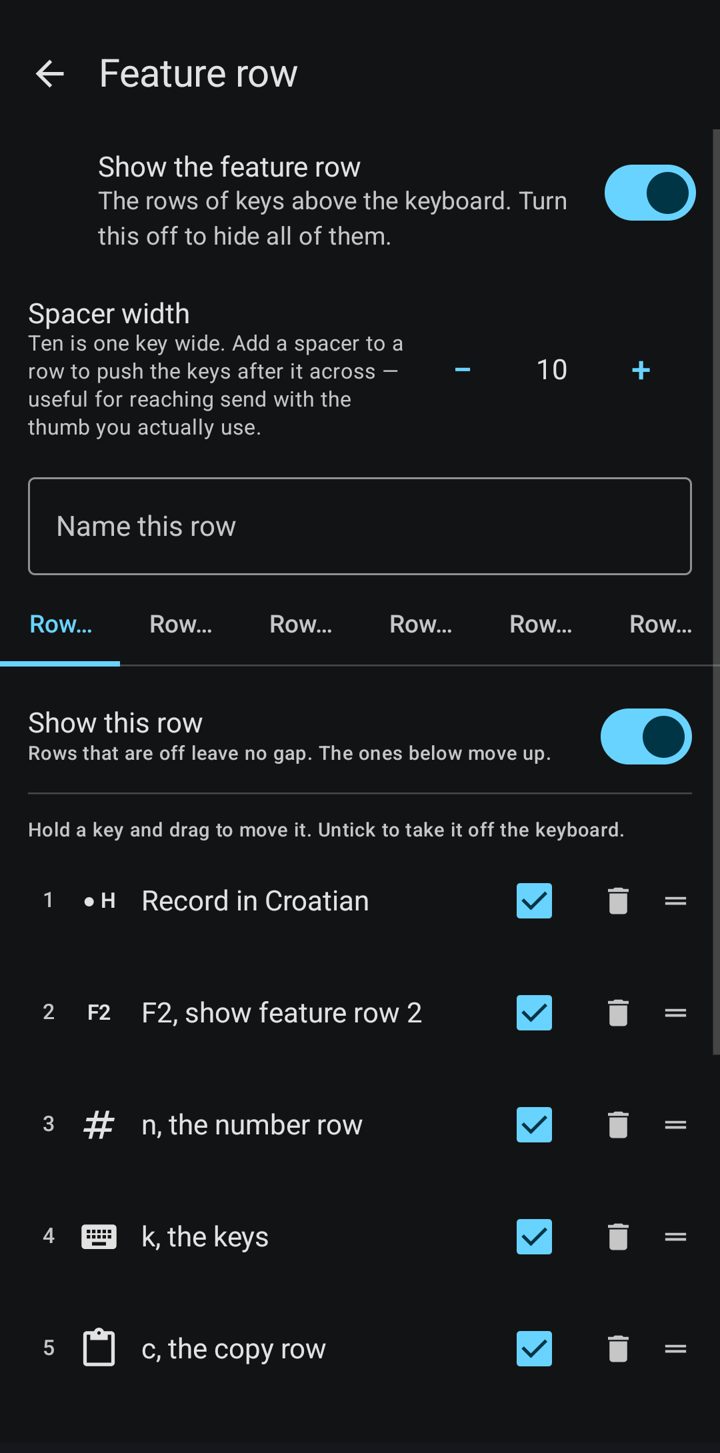
Up to six rows of feature keys above the letters, each with its own name. Drag the keys into the order your thumb wants; F1 to F6 show and hide a row from the keyboard.

The copy row

The copy row

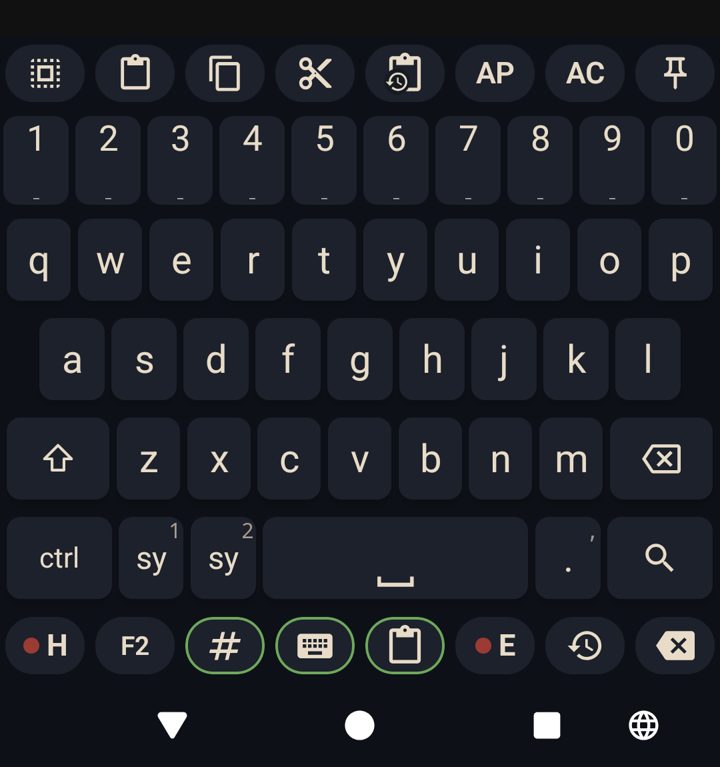
Select all, paste, copy, cut, clipboard history and two paste helpers, one tap each, right above the keys.

A cursor pad

A cursor pad

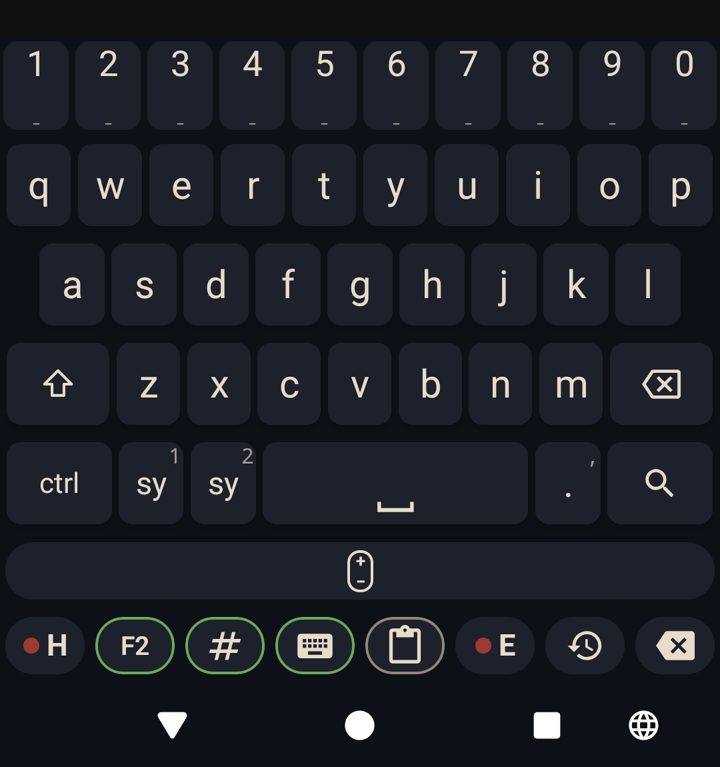
One row turns into a touchpad: slide along it to move the cursor exactly where you want it, letter by letter.

Number row that types whole phrases

Number row that types whole phrases

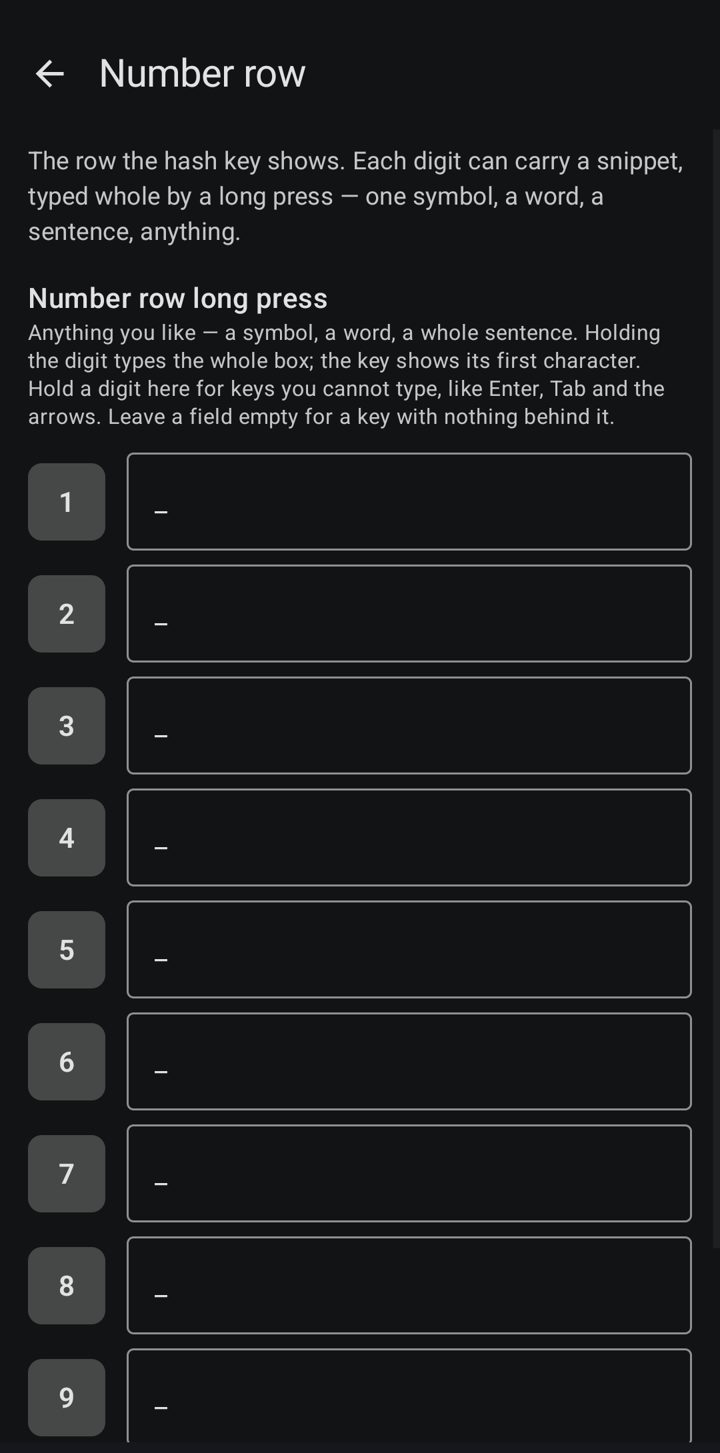
Each digit can carry a snippet: a symbol, a word, a whole sentence, typed with one long press.

It reads to you

It reads to you

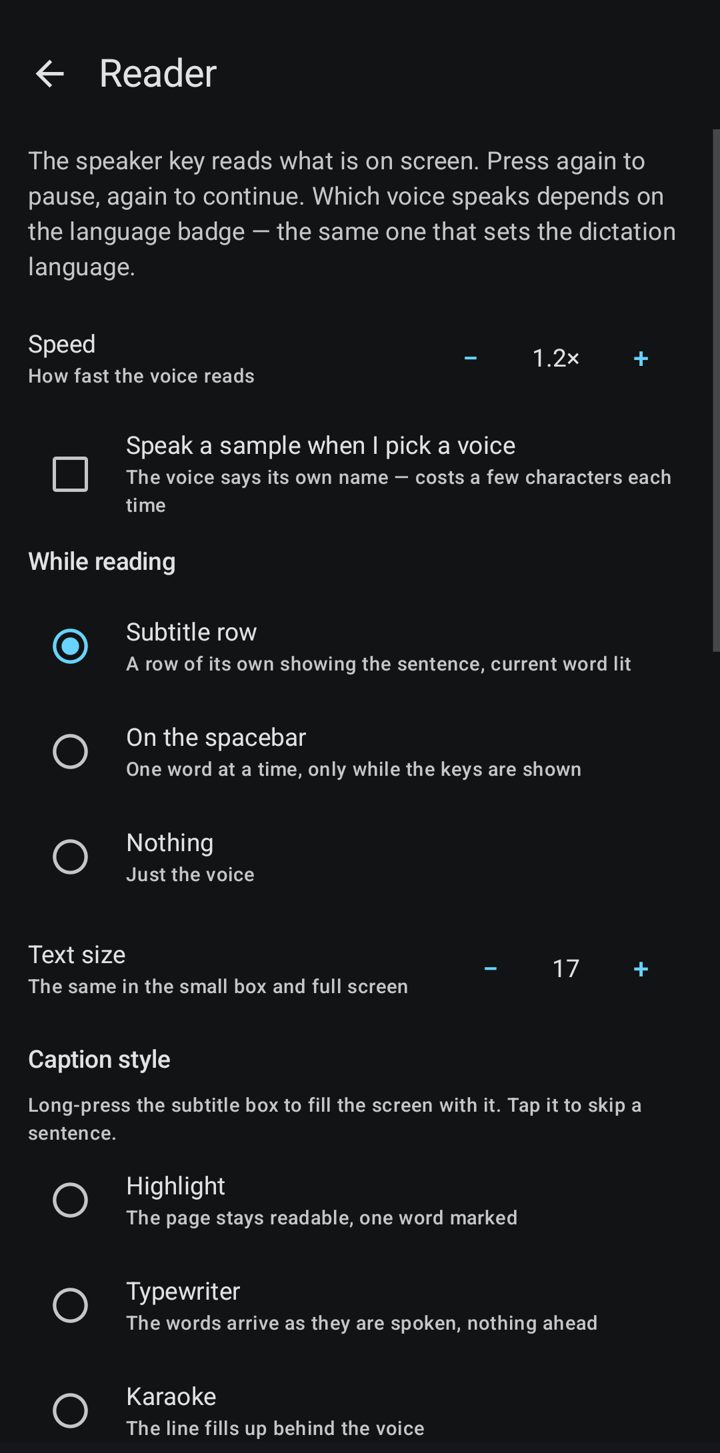
The speaker key reads what is on the screen aloud, with the current word lit in a subtitle row, on the spacebar, or full screen. Speed and text size are yours.

Proofread and spell check

Proofread and spell check

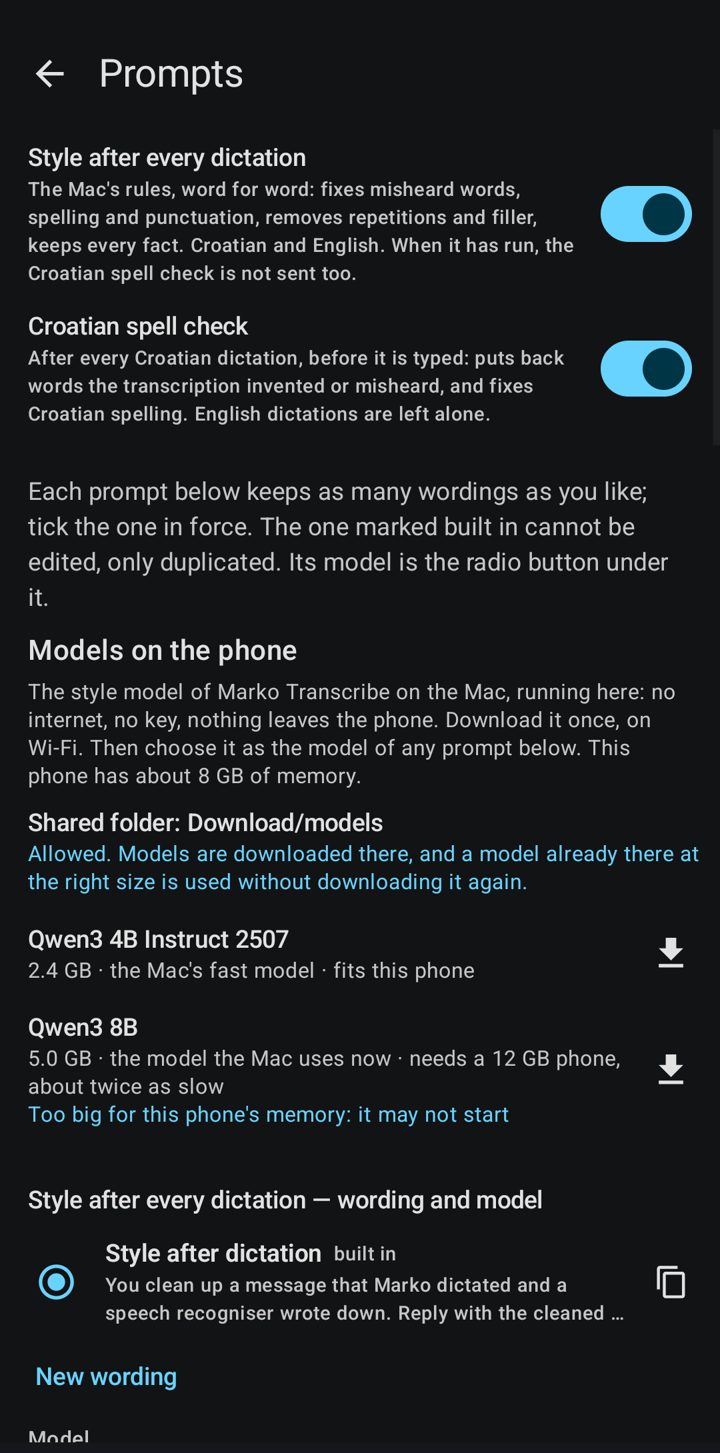
Ctrl+P proofreads, Ctrl+F reformats, and every Croatian dictation is checked for spelling before it is typed. You keep every wording of every prompt.

Everything in one switchboard

Everything in one switchboard

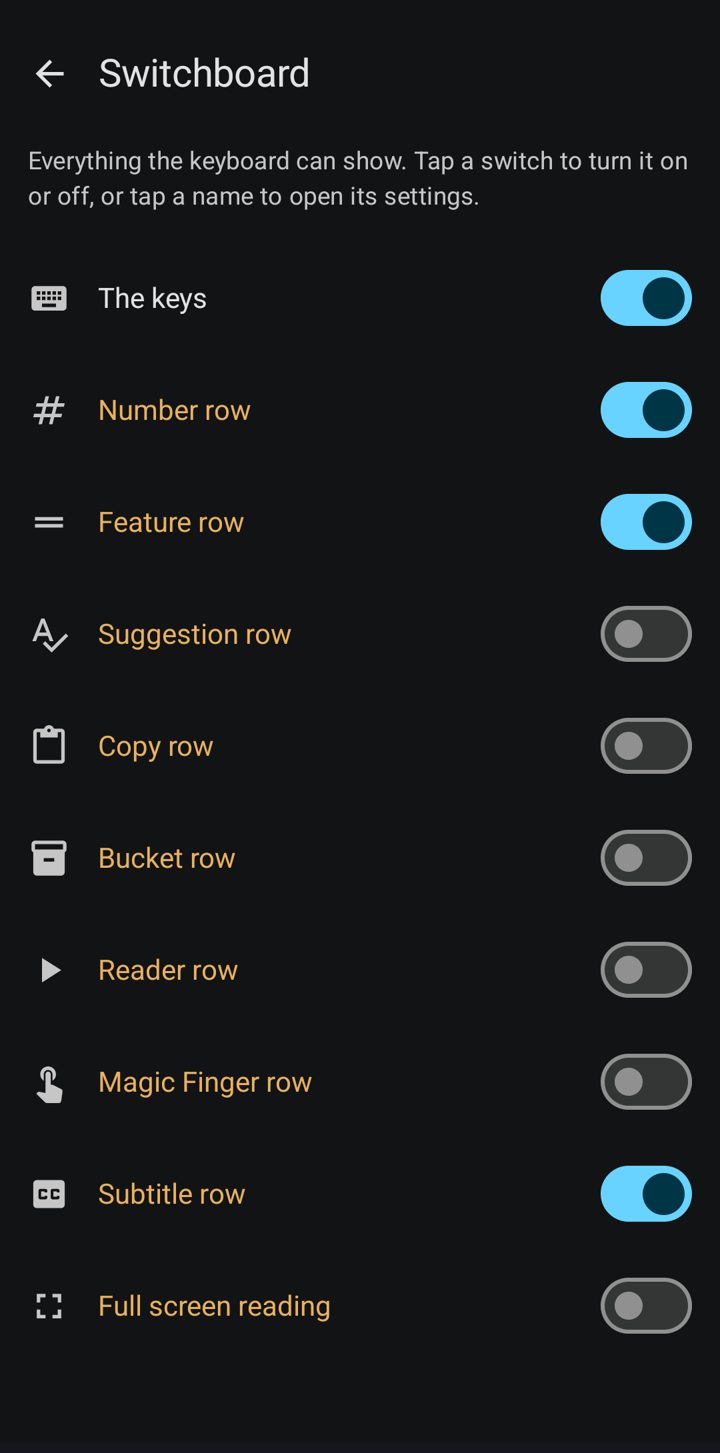
The keys, the number row, the feature rows, the suggestion row, the copy row, the reader: one screen, one switch each.

Symbols, two pages

Symbols, two pages

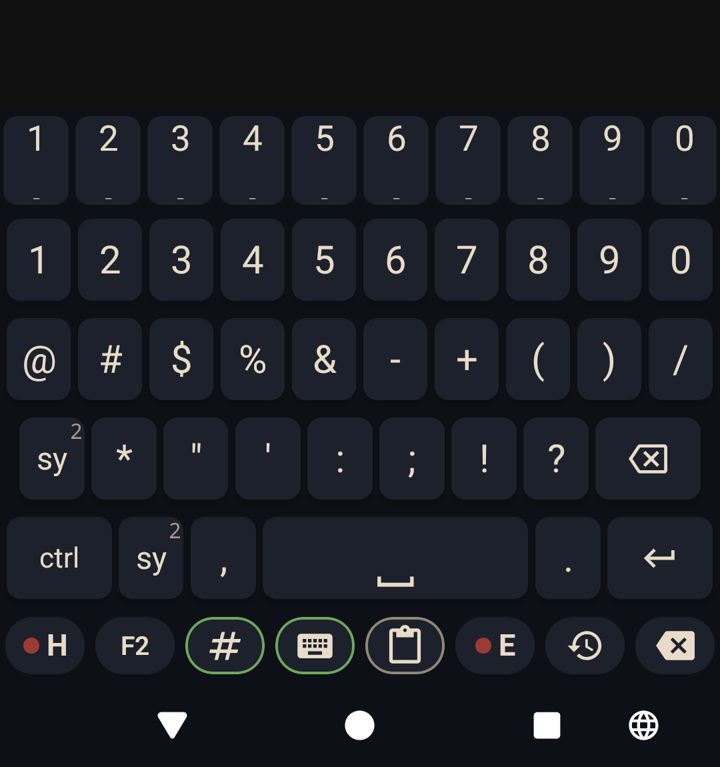
All the punctuation and symbols on two pages, one tap away from the letters.

And more

Small things that save the day

Word prediction that learns you

It learns the words you write, in Croatian and English separately. When you correct a word, it learns that it was a typo and offers what you meant next time; recent words rank above old ones.

Volume keys

Hold volume up to record, hold volume down to press send. A quick tap still changes the volume.

Magic finger

One key presses a button on the screen for you, like Send, found by its name.

History

Every transcription is kept with its audio, and a recording cut short is saved, never lost.

Profiles

Whole configurations saved by name and swapped in one tap.

Your keys, your data

You bring your own AssemblyAI and Anthropic keys, imported from a file, never typed. Nothing is learned in incognito fields.
Get TTT

Start talking

For Android 8 and newer. Install it, turn it on as your keyboard, import your speech key from a file, and press ● H or ● E.

Download the latest version

Free and open source (Apache 2.0), built on Dictate and FlorisBoard. Speech to text uses your own AssemblyAI key; proofreading your own Anthropic key. If it helps you, put something in the bowl below.

Put something in the bowl